
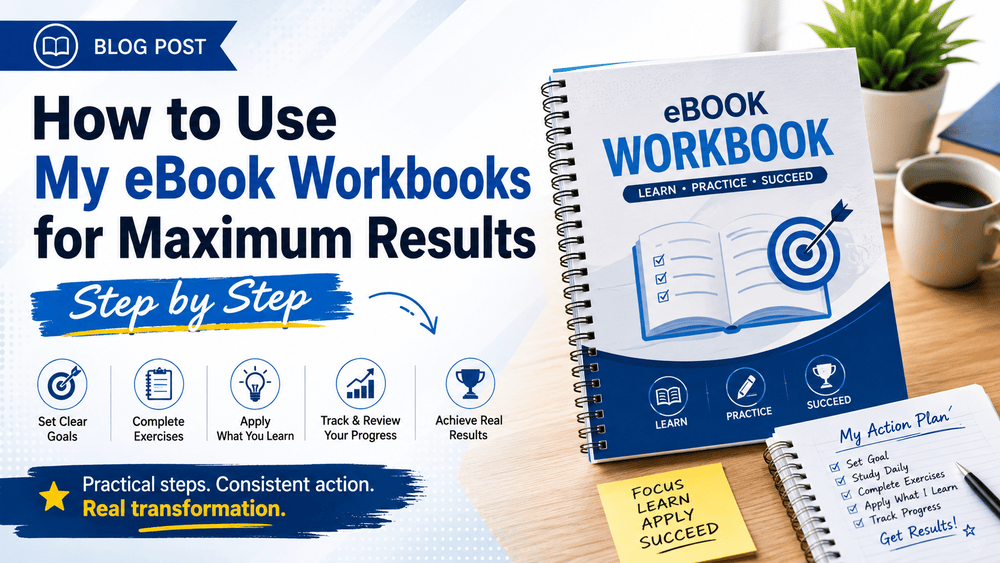
Buying an eBook workbook is easy. Getting real results from it takes a little more intention.
Whether you're using one of the educational, self-improvement, business, history, language-learning, or skill-building eBook workbooks available at Ivan's Digital Finds, the goal is not simply to read the material. The goal is to apply what you learn and turn information into action.

Many people download digital workbooks with the best intentions but never finish them. Others read every page but fail to implement the lessons. This guide will show you exactly how to use your eBook workbooks for maximum results, step by step.
Why eBook Workbooks Are Different From Regular eBooks
A traditional eBook focuses on delivering information. A workbook is designed to help you actively engage with that information.
Most workbooks include:
- Exercises
- Reflection questions
- Activities
- Checklists
- Worksheets
- Practical assignments
- Action plans
These elements help transform passive reading into active learning, which improves understanding and retention.
The more you participate, the more value you receive.
Step 1: Define Your Goal Before You Start
Before opening your workbook, ask yourself:
Why did I download this?
Be specific.
Instead of saying:
"I want to learn marketing."
Try:
"I want to learn enough Facebook marketing to run my first ad campaign within 30 days."
Instead of:
"I want to improve my grammar."
Try:
"I want to reduce grammar mistakes in my business emails."
A clear goal gives your workbook a purpose and keeps you motivated when you reach more challenging sections.
Get the free English grammar eBooks here:
- Free English Grammar eBooks & Reference Materials for Beginners
- Free English Grammar eBooks & Reference Materials for Intermediate and Advanced Learners
Step 2: Preview the Entire Workbook
Many learners immediately jump into Chapter 1.
A better approach is to spend 10 to 15 minutes reviewing the entire workbook first.
Look through:
- The table of contents
- Chapters
- Worksheets
- Activities
- Assessments
- Bonus materials
This creates a mental roadmap of what you'll learn and helps you understand how the lessons connect.
You'll also identify sections that may be especially relevant to your personal goals.
Step 3: Create a Learning Schedule
One of the biggest reasons people abandon eBooks is trying to complete too much at once.
Instead, break your workbook into manageable sessions.
For example:
Small Workbook
- 15–20 minutes per day
- Complete within 1 week
Medium Workbook
- 30 minutes per day
- Complete within 2–3 weeks
Large Workbook
- 45–60 minutes per day
- Complete within 1 month
Consistency matters far more than speed.
A learner who studies for 20 minutes daily usually achieves better results than someone who studies for 4 hours once a month.
Step 4: Take Notes While Reading
Even if the workbook already contains exercises, keep separate notes.
Write down:
- Important concepts
- New vocabulary
- Key strategies
- Personal insights
- Questions for further research
Digital note-taking apps work well, but many people retain information better when writing by hand.
Your notes become a personalized reference guide that you can revisit later.
Step 5: Complete Every Exercise
This is where many readers lose value.
It's tempting to skip activities and move directly to the next chapter.
Don't.
The exercises are often the most important part of the workbook.
When you answer questions, solve problems, or complete worksheets, your brain actively processes the information instead of simply recognizing it.
This process strengthens understanding and improves long-term memory.
If a workbook includes:
- Quizzes
- Worksheets
- Reflection prompts
- Practice tasks
- Action plans
Complete every one of them.
The results will be significantly better.
Step 6: Apply What You Learn Immediately
Learning without action leads to forgotten information.
After each lesson, identify one thing you can apply right away.
Examples include:
Marketing Workbook
Create a social media post using the strategy you just learned.
Download my free Social Media Marketing courses: FREE Digital Marketing Course Bundle – Facebook, Instagram, TikTok & Quora Marketing Training Bonus eBooks
Grammar Workbook
Write a paragraph using the grammar rules covered in the chapter.
Business Workbook
Implement one improvement in your business process.
History Workbook
Research additional sources related to the topic and compare perspectives. Immediate application helps convert knowledge into practical skills.
Buy my history eBooks:
- Churches of Nueva Ecija (Cabiao, San Isidro, Gapan, and San Antonio) eBook
- Echoes of San Antonio: The Last Heritage Houses
Step 7: Review Your Answers
Don't simply finish an exercise and move on.
Review your responses and ask:
- What did I learn?
- What mistakes did I make?
- What needs improvement?
- Which concepts require more practice?
Reflection is a critical part of effective learning.
Many breakthroughs happen during review rather than during the initial lesson.
Step 8: Revisit Difficult Sections
Not every chapter will be easy.
Some topics may require multiple readings.
That's normal.
If a section feels confusing:
- Read it again.
- Review your notes.
- Complete the exercises a second time.
- Search for additional examples if necessary.
Mastery often comes from repetition rather than speed. Focus on understanding, not rushing.
Step 9: Use Bonus Resources
Many eBook bundles include bonus materials such as:
- Additional eBooks
- Reference guides
- Checklists
- Templates
- Worksheets
- Practice exercises
Don't ignore these extras.
Bonus resources are often designed to reinforce the main lessons and provide additional practice opportunities.
Using them can dramatically improve your learning experience.
Step 10: Create a Personal Action Plan
Once you've completed the workbook, summarize the most important lessons.
Create a simple action plan that includes:
What I Learned
List your top five takeaways.
What I Will Apply
Choose specific actions you'll implement.
When I Will Apply Them
Set realistic deadlines.
How I Will Measure Success
Define measurable outcomes.
For example:
- Complete one marketing campaign
- Write five grammar-corrected articles
- Read three additional history resources
- Launch a small online project
An action plan helps ensure your learning produces real-world results.
Common Mistakes to Avoid
To get the most from your eBook workbook, avoid these common mistakes:
- Skipping exercises
- Reading too quickly
- Studying without clear goals
- Failing to take notes
- Ignoring bonus materials
- Never reviewing completed lessons
- Consuming information without taking action
Avoiding these mistakes can significantly improve your learning outcomes.
Final Thoughts
The most successful learners don't simply collect eBooks—they use them.
Whether you're exploring educational resources, business guides, marketing materials, language-learning workbooks, or history eBooks from Ivan's Digital Finds, your results depend on consistent action and active participation.
Start with a clear goal, follow a structured schedule, complete every exercise, and apply what you learn immediately. Review your progress regularly and continue building on your knowledge over time.
When used correctly, an eBook workbook becomes more than just a digital file—it becomes a practical tool for learning, growth, and achieving your goals.
Similar stories:
Comments ()